Deployment of the open-source survey questionnaire system SurveyKing
Online forms, survey questionnaires, questionnaire systems, examination systems; applicable for intention surveys and public query modification systems in schools, organizations, or companies.

Purpose

  • It enables sending questions that require mobile responses via email or text to the customer; allowing them to fill in when convenient.
    • After receiving questionnaire responses, the backend confirms user needs; then synchronously notifies and proceeds with the next operation.
  • It allows data import to create a query system; providing a straightforward interface for users to input query conditions and retrieve entire row data.
    • Similar to a one-by-one Excel personal data privacy input, query, and modification system.
    • See section: Public Query
  • SurveyKing is an easy-to-deploy, powerful, open-source and free enterprise-level online survey and examination system.

How to Use

Web-based usage: https://ask.carlzeng.com:4443/user/login

Test/learning login credentials: Username/Password: test/test

If you need further assistance, please contact me (authorization or Q&A)

Related Content

Implementation Method

Trial Version

Advantages: One-click deployment, simple regardless of the database used;

vi docker-compose.yml

1
2
3
4
5
6
version: '3.9'
services:
surveyking:
image: surveyking/surveyking
ports:
- '8098:1991'

Conversion: docker run -p 1991:1991 surveyking/surveyking

Conversion tool: https://it-tools.carlzeng.com:3/docker-run-to-docker-compose-converter

If you want to mount data files:

1
2
3
4
5
6
7
8
9
version: '3.9'
services:
surveyking:
image: surveyking/surveyking
volumes:
#- './logs:/logs' #comment out if logs are not to be permanently stored on the hard disk
- './files:/files'
ports:
- '8098:1991'

Default username/password for initial installation: admin/123456

https://ask.carlzeng.com:4443/user/login

Test login: Username/Password: test/test

Setting Default Field Content

For a date field, to automatically input the current date when the page loads.

Solution: Set the formula to CURRENT_DATE()

Formal Version v1.6.0

Uncertain where the data is stored? Upon restarting Docker, will previous questionnaires and data remain intact?

Upon restarting Docker, previous questionnaires and data are retained.

If the Docker Compose file was modified before and Docker Compose is restarted, all data is lost.

Complete docker-compose.yml, tested on March 20, serves as a reference only

MySQL has been replaced with MariaDB, as it consumes server resources reasonably (does not excessively consume server resources).

1
2
3
4
5
6
7
8
9
10
11
12
13
14
15
16
17
18
19
20
21
22
23
24
25
26
27
28
29
30
31
32
33
34
35
36
37
38
39
40
41
42
43
44
45
46
47
48
49
50
51
52
53
version: '3'
services:
surveyking_mysql:
environment:
MYSQL_ROOT_PASSWORD: "123456"
MYSQL_DATABASE: "surveyking"
image: "mariadb:jammy" #"mysql:5.7.39"
container_name: "surveyking_mysql"
restart: always
networks:
- surveyking_net
ports:
- 3307:3306
volumes:
- "./init-mysql.sql:/docker-entrypoint-initdb.d/init-mysql.sql"
- "/etc/localtime:/etc/localtime:ro"
- "./mysql_data:/var/lib/mysql"
command:
- "--character-set-server=utf8mb4"
- "--collation-server=utf8mb4_unicode_ci"
logging:
driver: "json-file"
options:
max-file: "5"
max-size: "100m"
surveyking:
environment:
JAVA_OPTS: "-Xms128m -Xmx1024m"
image: "openjdk:8u342-jdk"
container_name: "surveyking"
restart: always
networks:
- surveyking_net
ports:
- 8098:1991
logging:
driver: "json-file"
options:
max-file: "5"
max-size: "100m"
volumes:
- "./surveyking-v1.6.0.jar:/surveyking.jar"
- "/etc/localtime:/etc/localtime:ro"
#- "./logs:/logs" #only enable for debugging
- "./files:/files"
depends_on:
- surveyking_mysql
command: [
"sh",
"-c",
"java -jar /surveyking.jar --spring.datasource.url=jdbc:mysql://surveyking_mysql/surveyking --spring.datasource.username=root --spring.datasource.password=123456"]
networks:
surveyking_net:

Reinitialization deployment steps:

  1. Stop this Docker
  2. Delete the three folders in the current directory
  3. Manually create these three folders again: files, logs, mysql_data

Public Query

Capable of providing the same functionality as Jinshan KuaiCha, even more robust.

Key features:

  1. Supports importing large data from Excel, tested with 100,000 data queries and modifications running smoothly
  2. Allows creation of multiple public queries for the same questionnaire
  3. Supports free combination of multiple query conditions
  4. Supports query item permission filtering, with each query item supporting three modes: read-only, allow modification, hide, and supports query result viewing and modification
  5. Supports query results, image uploads, signatures, and more

Usage instructions: Public Query Settings Page Instructions

Test Data for Testing Questionnaires

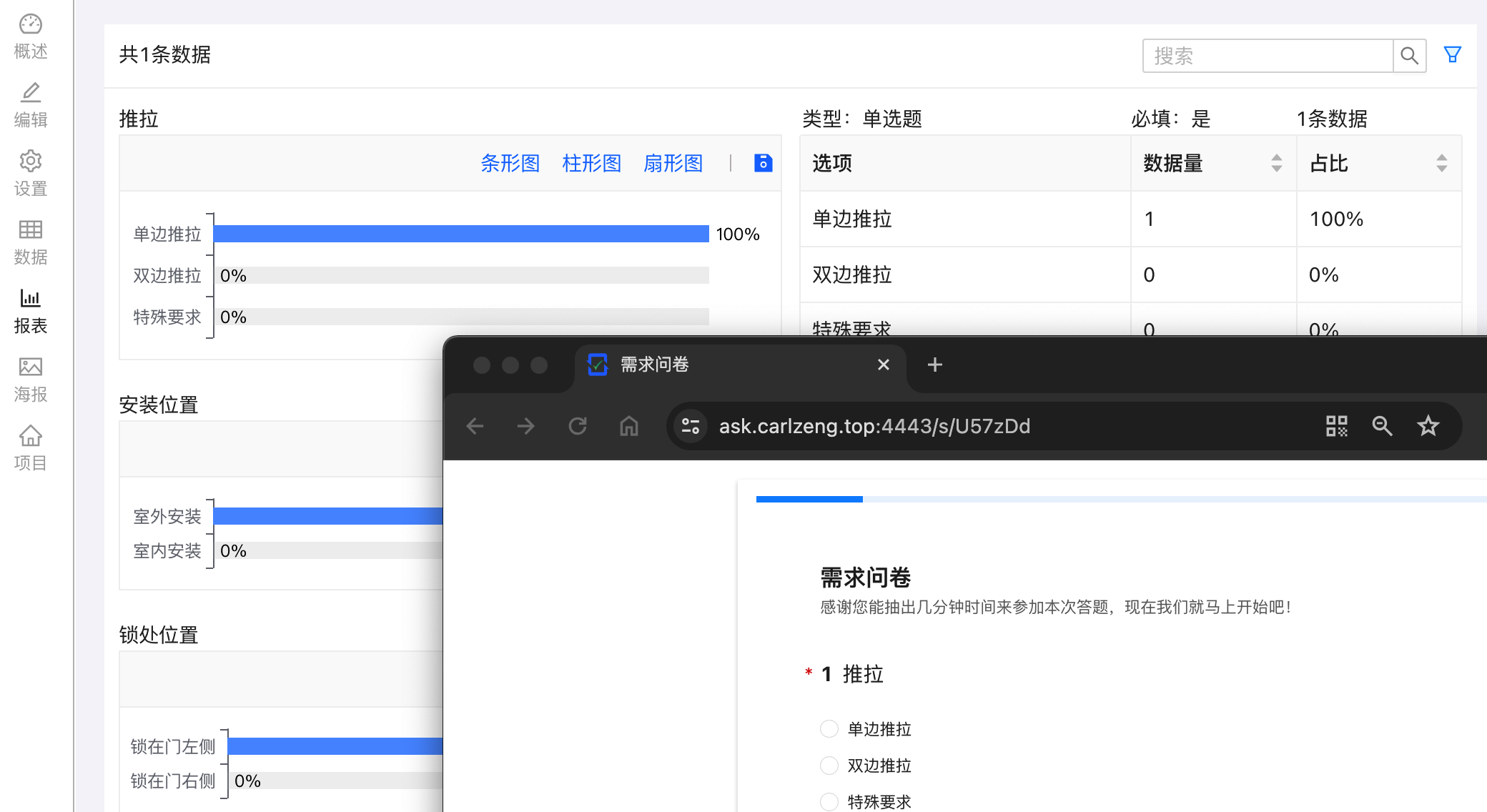
This questionnaire JSON data can be copied and pasted directly into the JSON editor in edit mode, then previewed to obtain a simple questionnaire

image-20240319195613169

1
2
3
4
5
6
7
8
9
10
11
12
13
14
15
16
17
18
19
20
21
22
23
24
25
26
27
28
29
30
31
32
33
34
35
36
37
38
39
40
41
42
43
44
45
46
47
48
49
50
51
52
53
54
55
56
57
58
59
60
61
62
63
64
65
66
67
68
69
70
71
72
73
74
75
76
77
78
79
80
81
82
83
84
85
86
87
88
89
90
91
92
93
94
95
96
97
98
99
100
101
102
103
104
105
106
107
108
109
110
111
112
113
114
115
116
117
118
119
120
121
122
123
124
125
126
127
128
129
130
131
132
133
134
135
136
137
138
139
140
141
142
143
144
145
146
147
148
149
150
151
152
153
154
155
156
157
158
159
160
161
162
163
164
165
166
167
168
169
170
171
172
173
174
175
176
177
178
179
180
181
182
183
184
185
186
187
188
189
190
191
192
193
194
195
196
197
198
199
200
201
202
203
204
205
206
207
{
"id": "U57zDd",
"title": "<strong style=\"font-size: 36px;\">需求问卷</strong>",
"description": "感谢您能抽出几分钟时间来参加本次需求问卷,现在我们就马上开始吧!",
"type": "Survey",
"attribute": {
"suffix": "您已完成本次问卷,感谢您的帮助与支持",
"submitButton": "提交"
},
"children": [
{
"id": "crrm",
"title": "推拉方式",
"description": "国标防盗门一般使用'单边推拉'",
"type": "Radio",
"attribute": {
"required": true
},
"children": [
{
"id": "mn1n",
"title": "单边推拉",
"attribute": {}
},
{
"id": "frvq",
"title": "双边推拉",
"attribute": {}
},
{
"id": "a3y8",
"title": "特殊要求",
"attribute": {}
}
]
},
{
"id": "55tb",
"title": "安装位置",
"type": "Radio",
"attribute": {
"required": true
},
"children": [
{
"id": "bufj",
"title": "室外安装",
"attribute": {}
},
{
"id": "mm95",
"title": "室内安装",
"attribute": {}
}
]
},
{
"id": "tukl",
"title": "锁处位置",
"type": "Radio",
"attribute": {
"required": true
},
"children": [
{
"id": "h4w2",
"title": "锁在门左侧",
"attribute": {}
},
{
"id": "gt2j",
"title": "锁在门右侧",
"attribute": {}
}
]
},
{
"id": "l6nl",
"title": "边框颜色(纱网默认灰色)",
"description": "<img src=\"/api/public/preview/sqqsybc2kWdUsy1f7xtiL\">",
"type": "Radio",
"attribute": {
"required": true
},
"children": [
{
"id": "a5yw",
"title": "咖啡色",
"attribute": {}
},
{
"id": "2v4x",
"title": "白色",
"attribute": {}
},
{
"id": "2mkw",
"title": "灰色",
"attribute": {}
},
{
"id": "w0a9",
"title": "古铜色",
"attribute": {}
},
{
"id": "df5c",
"title": "黑色",
"attribute": {}
},
{
"id": "dn2c",
"title": "香槟色",
"attribute": {}
},
{
"id": "mlly",
"title": "黄木纹",
"attribute": {}
},
{
"id": "5o4t",
"title": "红木纹",
"attribute": {}
},
{
"id": "6xgr",
"title": "金橡木",
"attribute": {}
}
]
},
{
"id": "raoo",
"title": "上传现场照片(含门洞全貌照片)",
"type": "Upload",
"attribute": {
"required": false
},
"children": [
{
"id": "44dx",
"attribute": {
"fileAccept": ".jpg,.jpeg,.png,.gif"
}
}
]
},
{
"id": "lp3i",
"title": "手机号码",
"type": "FillBlank",
"attribute": {
"required": true,
"examAnswerMode": "none"
},
"children": [
{
"id": "26c8",
"attribute": {
"dataType": "mobile",
"required": true,
"calculate": ""
}
}
]
},
{
"id": "s5oj",
"title": "姓名(如何称呼您)",
"type": "FillBlank",
"attribute": {
"required": true,
"visibleRule": ""
},
"children": [
{
"id": "mo8z",
"attribute": {
"calculate": ""
}
}
]
},
{
"id": "v22e",
"title": "创建日期",
"type": "FillBlank",
"attribute": {
"required": true,
"visibleRule": "",
"requiredRule": ""
},
"children": [
{
"id": "miob",
"attribute": {
"dataType": "date",
"readOnly": false,
"calculate": "CURRENT_DATE()",
"dateTimeFormat": "YYYY-MM-DD"
}
}
]
}
]
}

Temporary test link: https://ask.carlzeng.com:4443/s/nK2Kxr

Minor Issue Found

When opening this questionnaire on an Android phone with the Kiwi Browser and clicking on picture upload, the entire browser crashes and exits.

Performing the same steps in Chrome does not exhibit this issue. Therefore, this issue can be disregarded.

Sources of Inspiration

SurveyKing

Open Source & Docker Episode Forty-Two: NAS Deployment, Open Source Survey & Examination System—SurveyKing

Docker run to Docker compose converter