Nintendo Switch Black Screen Rescue Record

Nintendo Switch Black Screen Rescue
Purpose
To provide some insights on troubleshooting, providing references for similar situations.
Understanding the operation principles of the Atmosphere virtual system, installing new games in the virtual system:


Related
在线升级后导致黑屏的NS
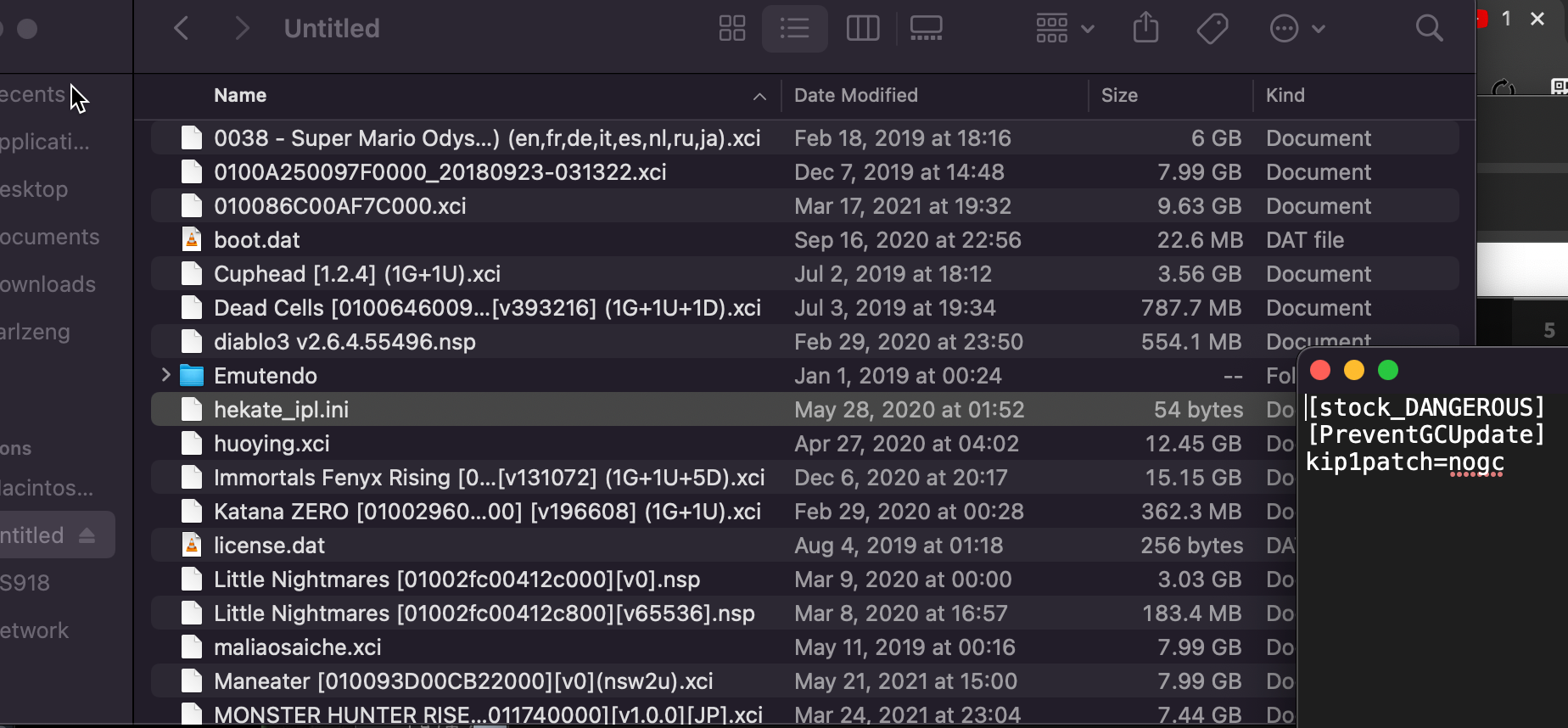
Current Situation and Diagnosis
- Using the new Atmosphere short-circuit tool + injector: Ensure the device is in the shutdown state (long press power button for 12s), then press Vol + Power; this should allow normal access to the Hekate interface.
- This step lays the foundation for all further actions.
- The serial number XAJ700… indicates that it’s a hackable Japanese version console.
- Observations:
- In Hekate’s console info, the fuse count shows 19.
- Fuse count 19 corresponds to firmware versions 17.0.0 - 18.0.1 (Fuse Reference).
- The HOS status is reported as ‘Unknown’.
- This is an anomaly.
- Using a new 17.0.0 SD card; attempting to boot into virtual and real systems:
- Virtual system: Black screen.
- Real system: Unknown pkg1 message.
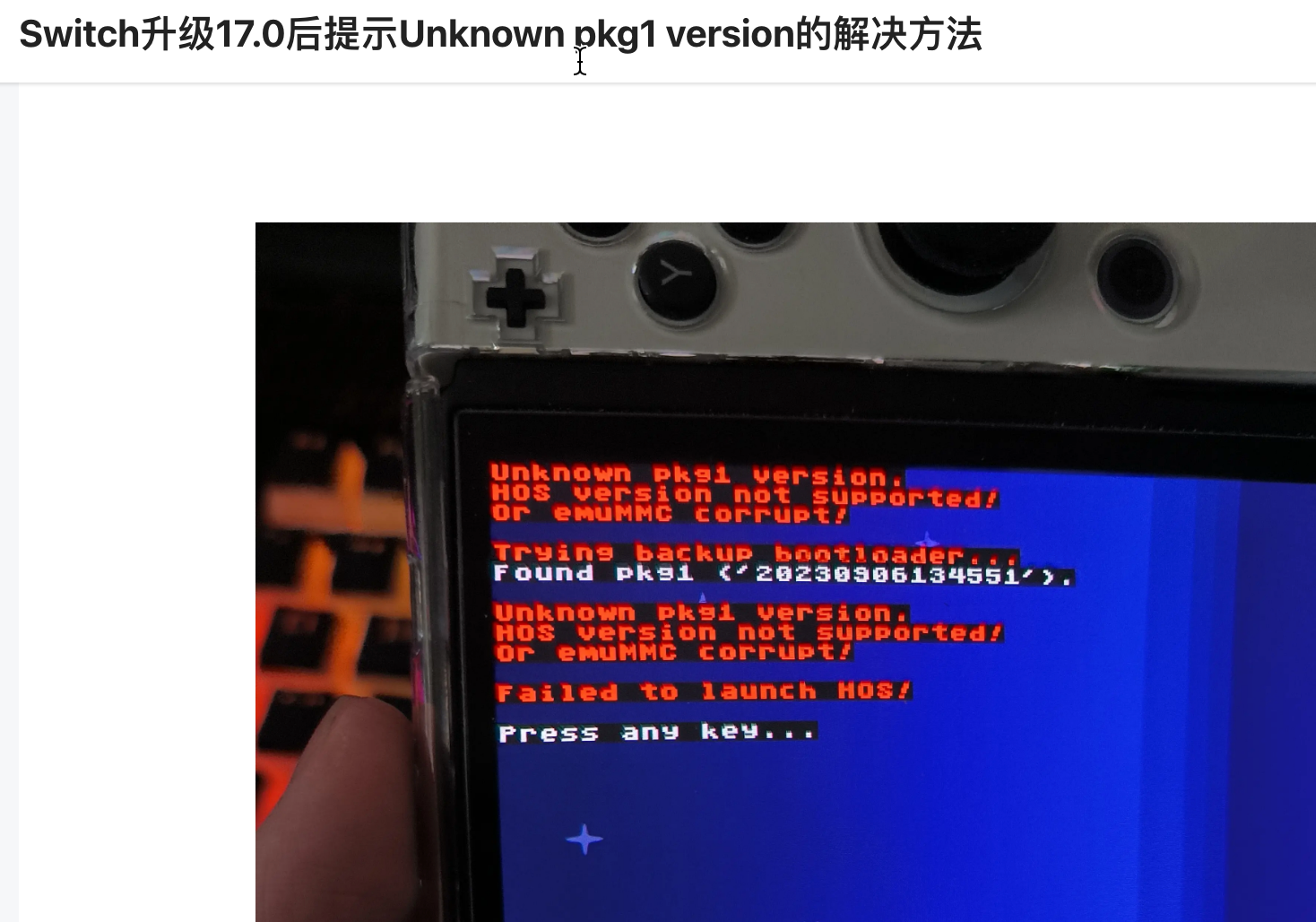
The problem transforms into: How to correctly boot or reinstall HOS into the system?
The suspicion is that the device may have encountered the black screen during an update process (at 6% completion, left unattended, and only noticed later as a black screen).
Attempting to Replace boot0 and boot1 (Unsuccessful)
Firstly, backup the current boot0 and boot1:
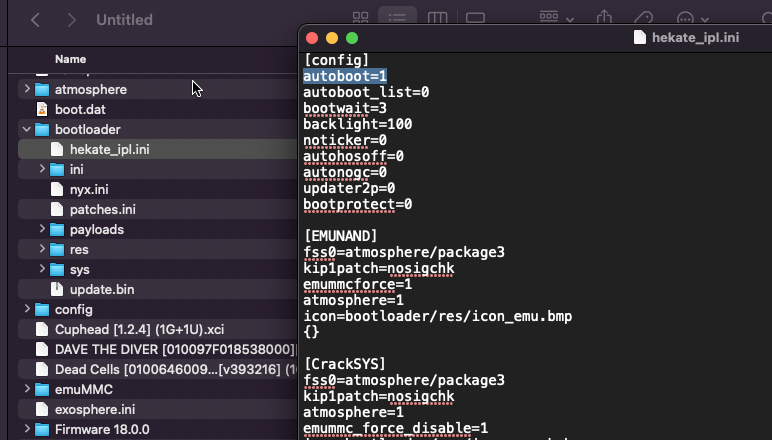
- Attempt 1: MARIKO 16.0.1 - ERROR
- Error: Requires ERISTA.
- Attempt 2: ERISTA 16.0.1
- Error: Unknown pkg1 version. Version not supported!
- Trying to backup bootloader… Found pkg1 (/20230111100014/)
Trying to utilize the latest boot0 and boot1 versions I upgraded:
- Perform a backup of eMMC BOOT0 & BOOT1 through Hekate’s Tools menu.
- Copy the backed-up files to the faulty console’s SD card in the Restore directory.
Error encountered: pkg2 decryption failed!
pkg1/pkg2 mismatch or old Hekate! Failed to launch HOS!
All known attempts have failed; resorting to restoring the console with the old backup of boot0 and boot1.

尝试2:ERISTA16.0.1
错误,提示unknown pkg1 version. How version no supported!
Trying backup bootloader… Found pkg1 (/20230111100014/)
尝试使用我升级了最新版本的boot0 和 boot1:
先去hekate里面的Tools > Backup eMMc > eMMC BOOT0 & BOOT1,然后拔出SD卡,连接电脑提取备份出来的BOOT0 & BOOT1文件。复制粘贴到故障机器的SD卡(也是新卡)的备份文件夹下的Restore文件夹中。
错误,pkg2 decryption failed!
pkg1/pkg2 mismatch or old hekate!Failed to launch HOS!
所有已知的尝试全部失败,使用旧的备份起来的boot0 和 boot1还原回去
Backing up Data from the Old SD Card
Initiating the installation of virtual drivers…
Successfully installed the USB drive using ‘Driver Genius’, suggesting an alternative driver tool to use.
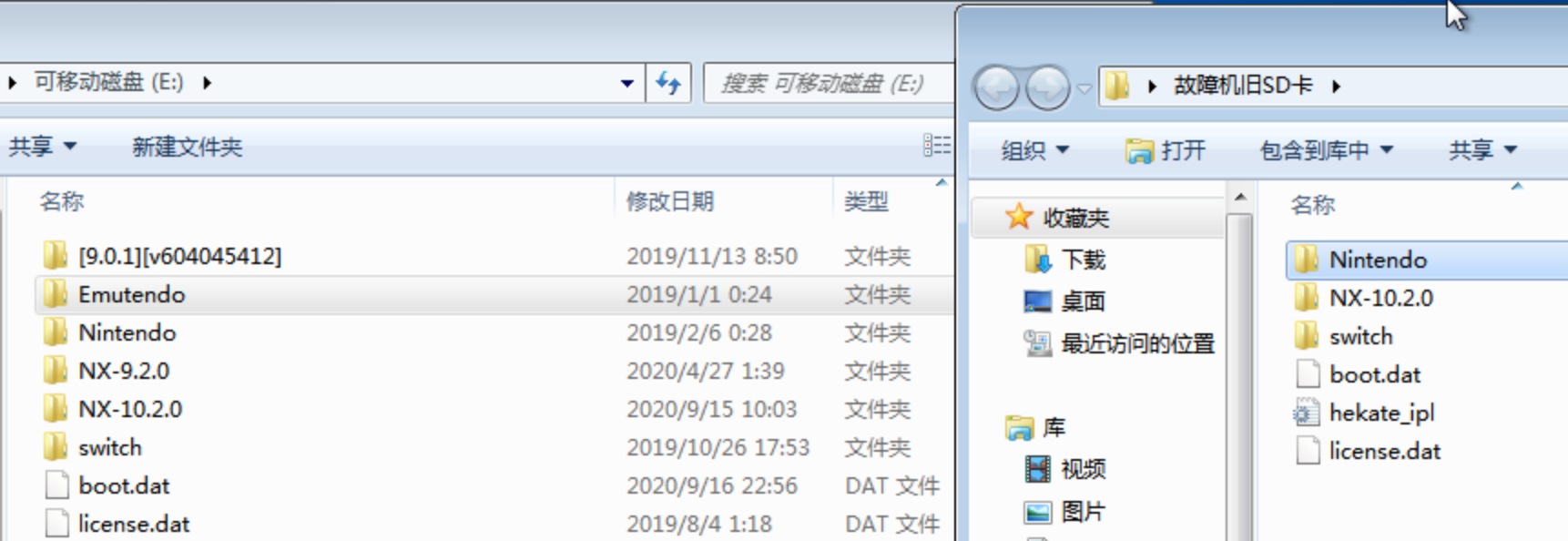
Issues related to the Atmosphere (white injector) — seems unlikely due to over 19GB Emutendo files.
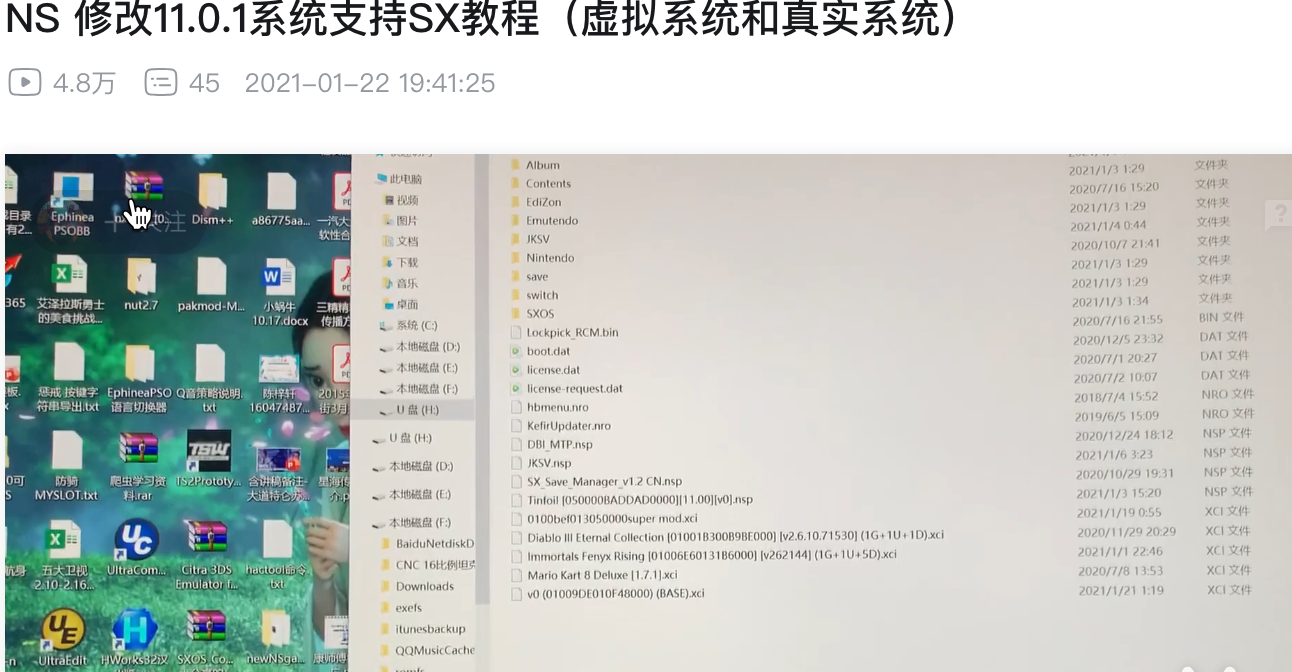
SX OS是装在emunand里的
两年前:重要的事情说三遍,SXOS已死!SXOS已死!SXOS已死!
看一下2021年的时候SX OS的SD卡目录结构:
解决步骤
必须使用18.0.1的sd卡,来用hekate启动。
重新制作一个emmuc
步骤:先进hekate;这是一切的开始,然后确保主机的序列号在可软破的范围之内

进hekate后,查看硬件信息:
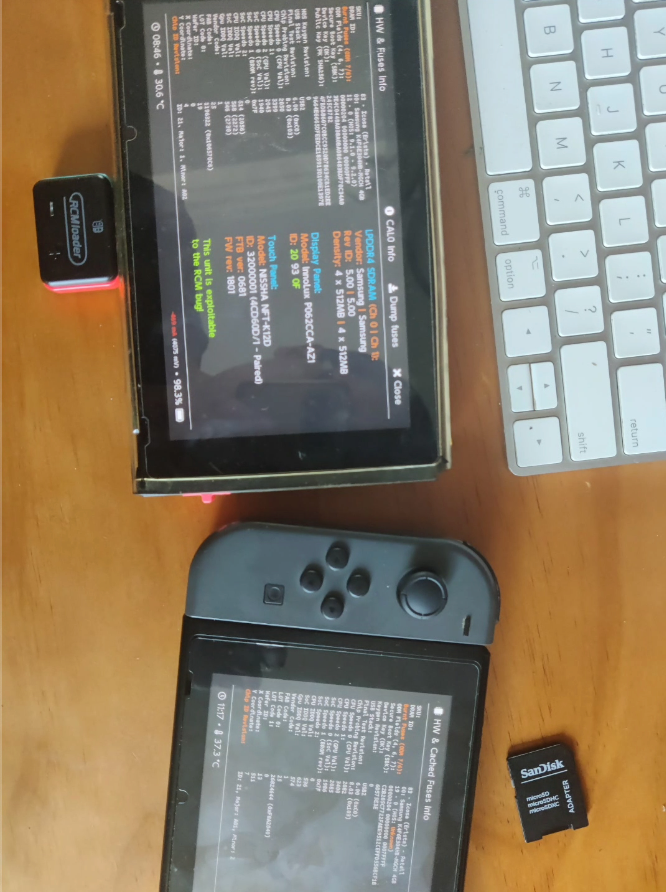
这里面有很重要的熔断数信息和HOS原版系统固件的版本号信息等等,对于后续的处理有很大帮助。
18.0.1的虚拟系统安装游戏报错

尝试了很多的nsp和xci,排除的原文档错误问题,排除了MAC系统复制的问题。
降级
降级的,通过把17.0.1和15.0.0的系统固件文件夹复制到SD卡中,然后用相册 》 daybreak插件来升级(或者降级)
虚拟系统可以这样操作;原版/正版系统因为熔断数限制不能这样操作。
MAC系统复制到SD卡上的目录,会自动添加一个:‘存档’属性,这将让SWITCH识别这个文件夹为单个文件而非文件夹(在Windows电脑,右键该文件夹,查看属性后得知),这导致Daybreak插件无法识别到这些固件的文件夹。
无效,虚拟系统降低到15.0.0以后,安装许多游戏依然报错(同样的错误)熔断数高真的好可怕
升级大气层到最新整合包
使用了2024年4月份(或5月份;比如文件名:”NS18.0.1-1.7.0大气层整合包.zip”;从QQ群文件分享中获取,具体方法详见:任天堂Switch全部记录)最新出的整合包,解决了熔断数高的问题。
Switching back to Original System + Upgrading to Latest Version 18.0.1
For virtual system, downgrading to 15.0.0, then installing and running ‘Dave in Deep Waters’ through Daybreak plugin, successful testing.
Ultimately successful: Installed a total of 26 games in the Atmosphere virtual system, including ‘Overcooked’, ‘Human Fall Flat’, and ‘Dave in Deep Waters’.

Cleaning Hidden Mac OS Files and Folders
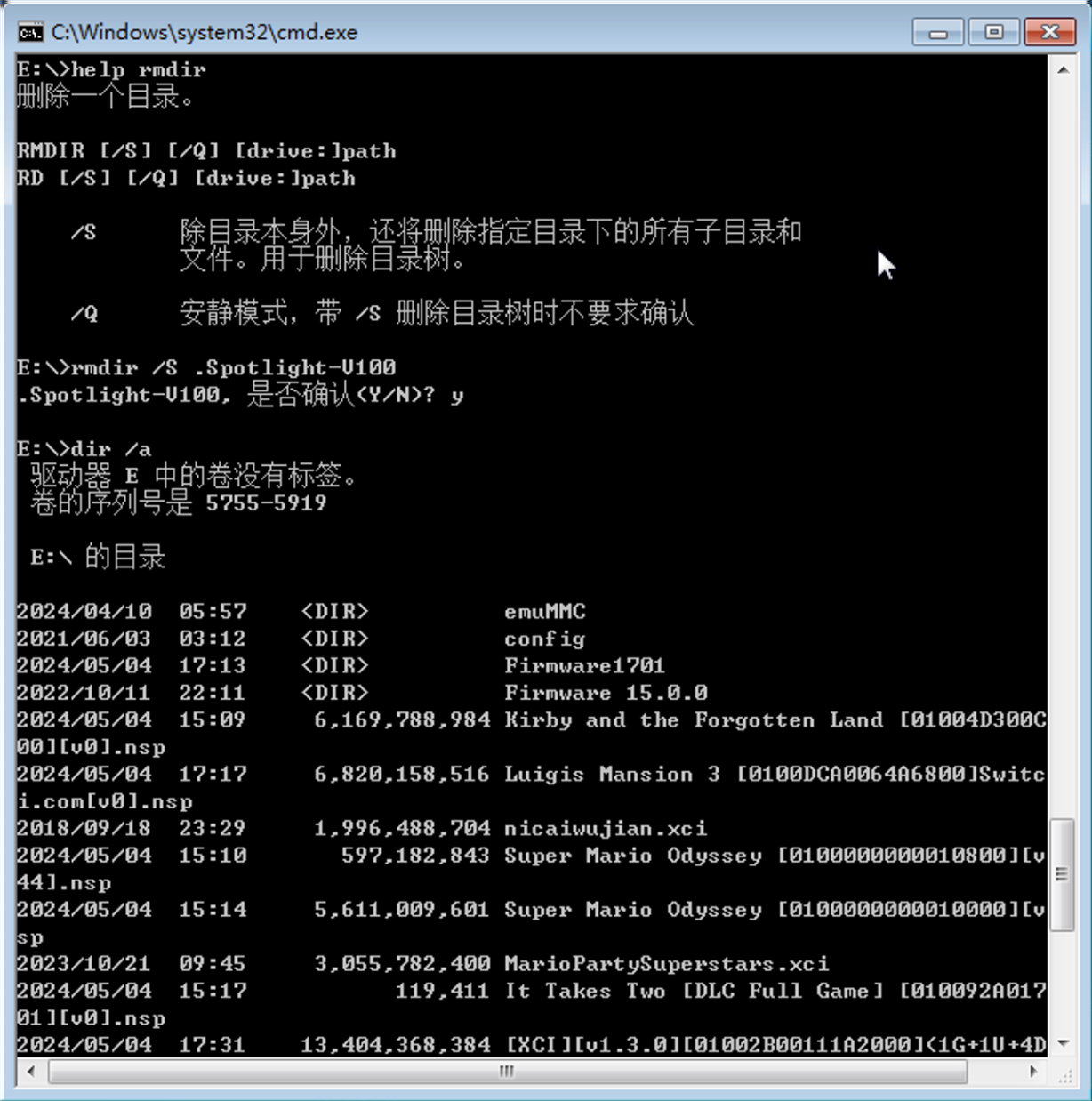
A quick method using Windows Command Prompt to delete these files in bulk:
1 | List all files starting with ._ in the current directory and subdirectories |
This command efficiently deletes these files. In CMD, navigate to the SD card letter (e.g., e:), then run del ._* /a/s to resolve all such files.
Rebuilding the Original Switch System
Rebuilding a pristine official system from scratch is challenging; it must be on version 18.0.1 (due to a fuse count of 19).
Potential resource: Switch Secure System Restoration Guide
Attempting Cross-System Game Migration Copy
In the root directory: emuMMC »
SD01 (I have created 2 eMMCs) »
Nintendo » Contents » registered
- Attempting to migrate games across systems
First, the original registered directory was backed up, intending to overwrite 134G.
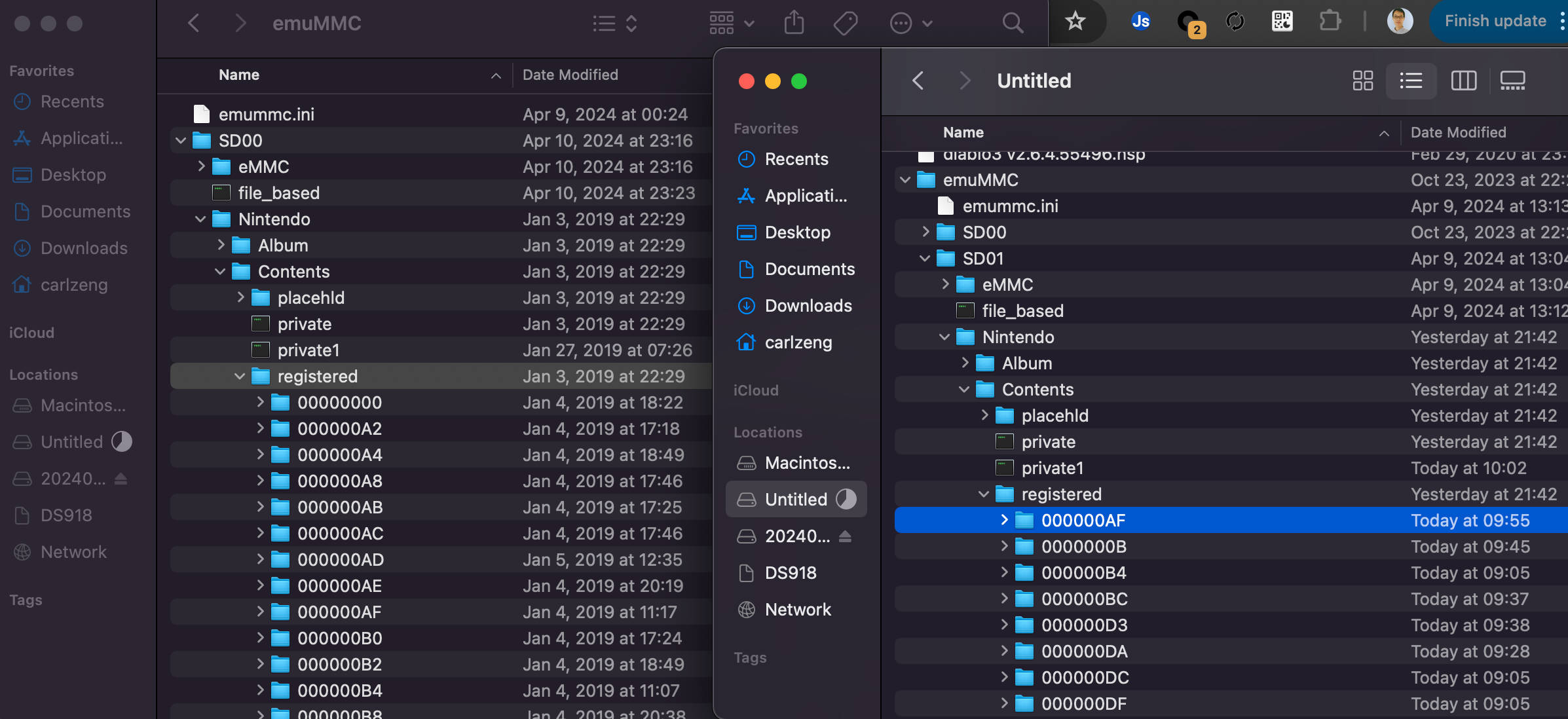
结果失败了:

eMMC迁移
好想搞清楚hekate中的eMMC Migrate功能;我的理解是它可以实现将其他Switch游戏机#1SD卡中的游戏迁移到Switch游戏机#2的SD卡中,那么如何做到呢?把整个虚拟系统的文件夹都拷贝过去?然后这个功能就识别了;识别后能合并吗?比如原来的Switch游戏机#2的SD卡中有了部分的游戏,能合并起来?
Methods for Utilizing Atmosphere Injector
Methods for Utilizing Atmosphere Injector
Note: This injector is typically unnecessary in daily usage, only required in cases of complete power loss shutdown or forced shutdown (automatically entering the genuine system without games upon reboot without injector).
Switch TX Hardware Hacking Complete Records
TX’s hardware-hacked SX OS (with a red interface) was an option for some endurance machines in 2021.
Here is the process of soldering the TX hardware hacking chip:
Process of the original TX chip hardware hacking (Nv1-6 version): TX Chip Crack Diary for Domestic Switch Hardware Hacking
- Inside, there’s a step: remove the hard drive, then install the hard drive onto the TX cracking chip.
Auxiliary materials:
1. Thermal conductive silicone
2. Insulating tape (yellow)
Switch TX System Transition to Atmosphere
TX Transition to Atmosphere (Injector Method)
This process, whether upgrading to firmware 13.1, 15.0.1 (injector method), is still secure.
In later usage, upgrades, game installations, etc., various errors may also occur?
If the machine is upgraded in the genuine system (resulting in a fusing count greater than or equal to 15, SXOS will be rendered unusable).
【Ling】The Most Convenient Way to Transition from TX to Atmosphere and Back to TX
This provides a tutorial on transitioning from the TX system to Atmosphere, and then back to TX, back and forth.