Querying Vendor Bills from Sales Orders to Supplier Invoices in NetSuite
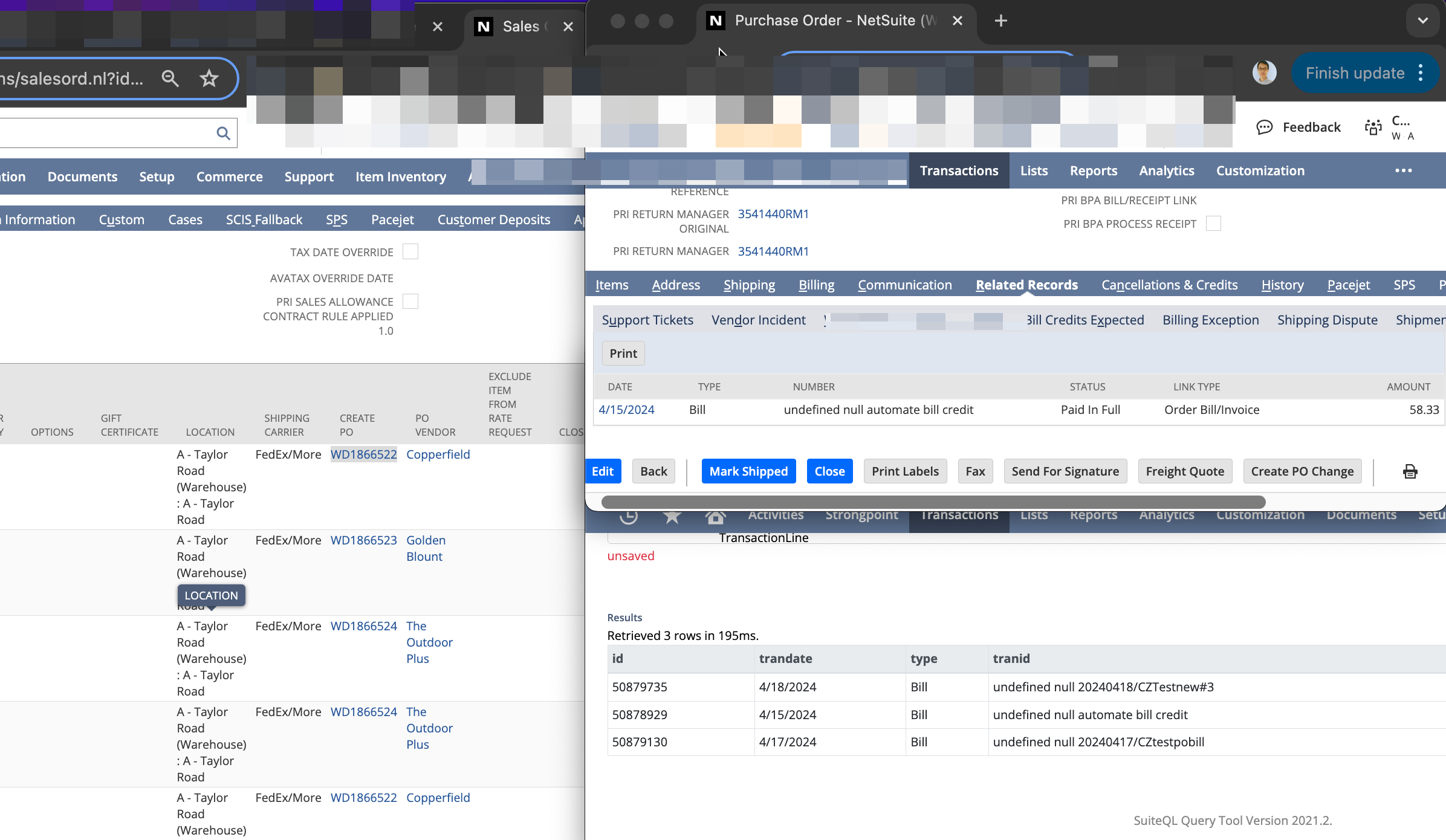
Utilizing a query to navigate from sales orders to supplier invoices in NetSuite: From Sales Orders (SO) to Purchase Orders (PO) to Supplier Bills.
The following article serves as a demonstration in the SuiteQL Query Tool; its real-world applications can be highly versatile (beyond the scope covered in this article).
How to Use
1 | SELECT Transaction.ID, |
Background
Sales Orders (SO) trigger the generation of multiple Purchase Orders (PO) automatically; these settings classify sold items under Special Order or Drop Ship.
Once the SO is approved, corresponding POs are generated, following the purchasing process, goods reception, prepayments, or ultimately, receiving Supplier Bills. Concurrently, the sales order process continues in the system and reality.
How can one, starting from the initial Sales Order, query and identify which Supplier Invoices are associated with specific suppliers?
The provided query accomplishes this:

This corresponds to multiple processes and transaction orders within the system.
Analyzing the Query
Innermost Nested Query
1 | SELECT DISTINCT TransactionLine.Transaction |
This query identifies which POs are created from a specific Sales Order (50878826). It leverages the linking in NetSuite where PO IDs are associated with the Item list within the SO (accessible via ‘Create PO’).
The query delves into the transaction’s transaction line table (TransactionLine), specifies the originating SO through TransactionLine.CreatedFrom, and queries the current transaction’s system transaction/order ID.
This query yields 3 PO numbers:

Second Level Query
1 | SELECT DISTINCT TransactionLine.Transaction |
This query effectively retrieves the Supplier Bills.
The principle is to query which transactions are created from known POs. As Supplier Bills are created from POs, the two are linked through the CreatedFrom attribute.

Top-level Query
1 | SELECT Transaction.ID, |
This top-level query aims to present user-friendly results, potentially with internal NetSuite links (which could lead to further transaction processing via SuiteLet for instance).
This example demonstrates a highly flexible query application, with infinite possibilities for practical uses. If you have any ideas, feel free to comment or schedule a meeting.
Related Content
Sources of Inspiration
[NetSuite: SuiteQL and Related Transactions (Revisited)]https://timdietrich.me/blog/netsuite-suiteql-related-transactions-revisited/)